A cluttered desk leads to a cluttered mind. If you’re working from home, your environment directly impacts your focus, creativity, and daily stress levels. It’s time to turn that chaotic workspace into a high-performance command center that actually inspires you to get things done.
At Home Hacks Collective, we believe an ideal home office balances professional functionality with a personal aesthetic. Here are the essential tools and tips to elevate your workspace and reclaim your productivity.
1. Monitor Stands with Built-in Drawers
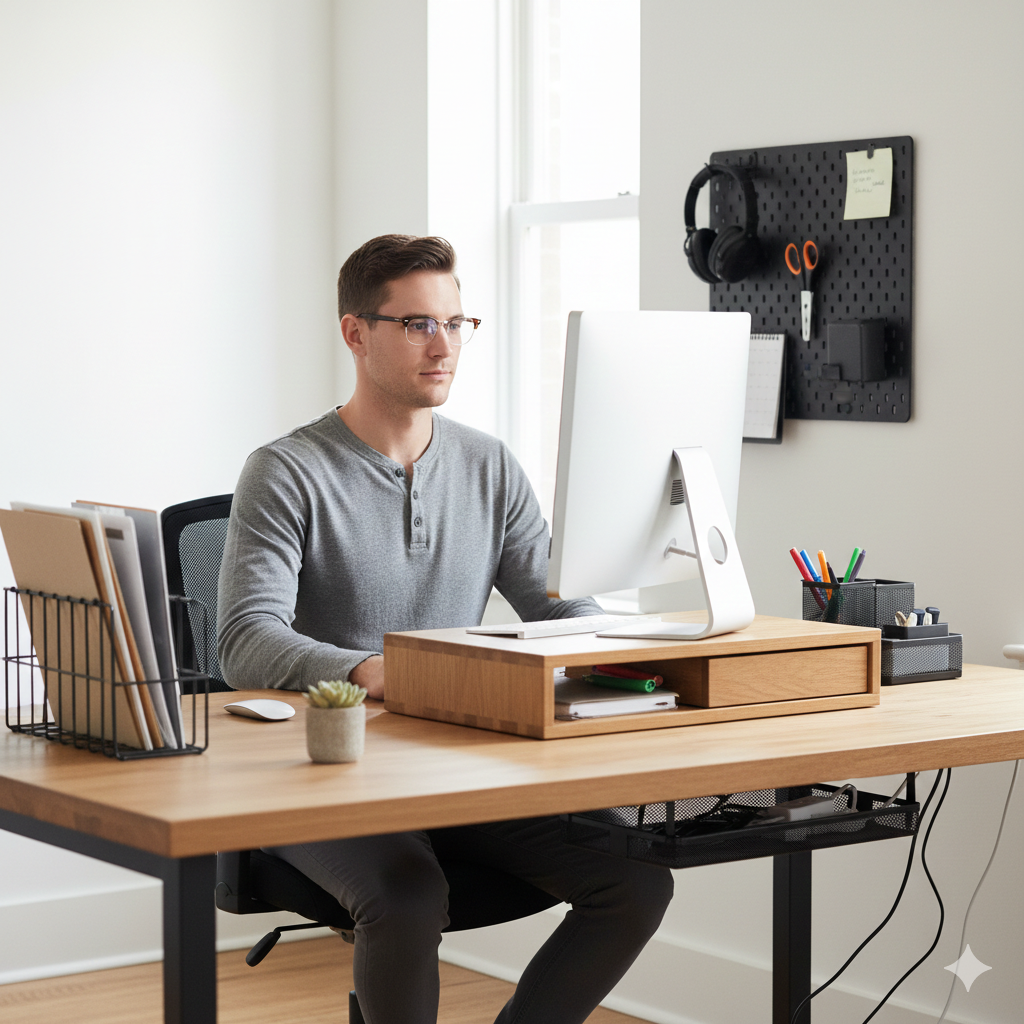
Lifting your monitor to eye level is not only better for your posture and neck health, but it also creates valuable real estate directly underneath. Monitor risers with built-in drawers allow you to tuck away pens, notebooks, and your phone, freeing up your main desk surface for your keyboard and mouse.
Pro Tip: Choose a wooden or minimalist metal stand to create a “clean” and expensive look.

Top Pick: Wood Monitor Stand Riser with Storage
⭐ 4.6 out of 5 · 4,500+ ratings on Amazon (at time of writing)
What buyers love: the surprisingly spacious drawer and the many compartments for supplies.
Common complaints: some find the pen holders and side boxes small.
Our take: A great all-in-one riser for small desks.
2. The Desktop “Command Center”
Stop wasting time hunting for a stapler or a spare sticky note. Use a mesh or acrylic desk organizer to group your most-used items. When everything has a dedicated “home,” you reduce the micro-frictions that break your workflow during the day.

Top Pick: All-in-One Mesh Desktop Organizer
⭐ 4.5 out of 5 · 4,000+ ratings on Amazon (at time of writing)
What buyers love: how much paper and mail it organizes in a small footprint.
Common complaints: some say it doesn’t feel completely rigid once assembled, and the instructions aren’t clear.
Our take: Assemble on a flat surface and tighten all screws for a sturdier result.
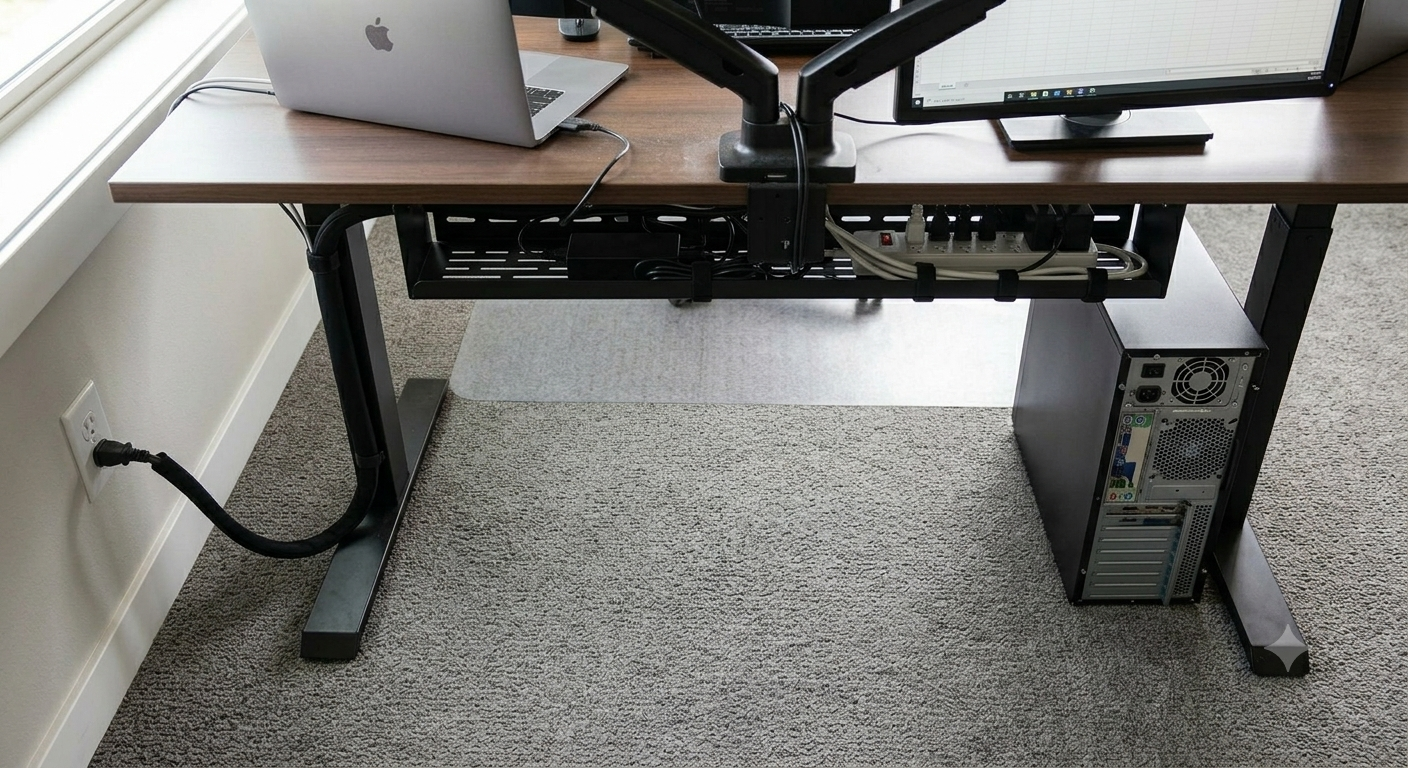
3. Under-Desk Cable Management
Nothing ruins a professional vibe faster than a “cable octopus” under your feet. Use a cable management tray or box to hide power strips and tangled charging cords. Not only does it look cleaner on Zoom calls, but it also makes cleaning under your desk a breeze.
4. Vertical File Folders for Important Documents
Instead of stacking bills and papers—which makes them impossible to find—switch to vertical file holders. Organizing vertically allows you to see every folder tab at a glance without having to dig through a messy horizontal pile that only accumulates dust.
5. Use a Pegboard for Creative Supplies
If you’re a creative professional or hobbyist, a wall-mounted pegboard is a game-changer. It allows you to hang scissors, headphones, and decorative items on the wall, turning your tools into a functional piece of art and keeping your desk surface completely clear.
The Bottom Line
Organizing your home office is about more than just aesthetics; it’s about removing the obstacles between you and your best work. By implementing these small systems, you create an environment that supports your focus rather than distracting from it.
Want to optimize your workflow even further? Explore our full Home Office Collection for more expert-tested workspace solutions!
Watch: See It in Action
Products in This Guide: What Amazon Buyers Say
We read recent Amazon customer reviews for every product recommended above. Here’s a quick summary to help you decide.
| Product | Rating | Ratings | Buyers’ #1 praise | Most common complaint |
|---|---|---|---|---|
| gianotter Monitor Stand with Drawer | 4.6★ | 4,500+ | Spacious drawer, many compartments | Pen holders are small |
| Marbrasse 5-Tier Desk Organizer | 4.5★ | 4,000+ | Great for paperwork | Can feel less rigid; vague instructions |
Ratings, review counts and prices change often — always check the current listing. Review summaries are our paraphrase of recurring themes, not quotes.
The Productive Home Office Layout
| Zone | Purpose | Key items |
|---|---|---|
| Work surface | Focused work | Computer, notebook, current task only |
| Reach zone | Daily tools | Pens, sticky notes, phone stand |
| Reference zone | Occasional use | Shelves, binders, books |
| Storage zone | Backstock | Printer paper, supplies, archive files |
| Tech zone | Power and devices | Cable tray, charging station, router |
Home Office Organization Checklist
- ☐ Desk surface at least 80% clear
- ☐ Cables lifted off the floor
- ☐ An inbox tray for new paper
- ☐ Monitor at eye level
- ☐ Good task lighting
- ☐ A comfortable, adjustable chair
- ☐ A spot to pack work away at the end of the day
Remote Work Habits That Keep the Office Organized
- Start each day by clearing yesterday’s leftovers.
- Process paper once a week instead of daily.
- Keep personal clutter (mail, laundry) out of the office.
- End with a 2-minute shutdown: save, tidy, plan tomorrow.
Common Home Office Mistakes
- Using the desk as a storage surface.
- Buying lots of small organizers instead of one good system.
- Ignoring ergonomics until it hurts.
- Letting cables tangle behind and under the desk.
💡 Pro Tip
A Real-Life Example
Imagine a spare-room office that doubles as a guest room. The desk is buried under mail, a printer blocks half the surface and cables snake across the floor to the only outlet.
The fix took one afternoon. The printer moved to a rolling cart under the desk, freeing the surface. A cable tray lifted the power strip off the floor, and a single inbox tray caught all incoming paper. Supplies went into a mesh organizer, and a wall shelf took reference binders. Finally, a 2-minute shutdown routine was added at 5:30 p.m.
The result: an office that’s ready for work every morning and can be cleared for guests in five minutes.
✅ Key Takeaways
- Keep the work surface at least 80% clear.
- Move bulky equipment off the desk onto carts or shelves.
- Fix cables first for the biggest visual change.
- Give paper one inbox and process it weekly.
- End every workday with a 2-minute reset.
Frequently Asked Questions
How do I set up a home office in a small space?
Choose a compact desk, go vertical with wall shelves, hide cables underneath and keep only daily tools on the surface. A rolling cart adds storage you can move away.
What are the must-have home office organizers?
A desk tray, a cable management tray, a monitor riser and a simple file box cover the most common clutter problems.
How do I keep my home office organized?
Do a 2-minute shutdown reset at the end of each workday and process paper once a week.
📚 Home Office Organization: The Complete Series
🧭 New to decluttering? Start with our complete room-by-room decluttering guide.