

We’ve all seen those flawless, minimalist desk setups on Pinterest and Instagram. The wood is glowing, the monitor is perfectly centered, and most importantly—there isn’t a single wire in sight.
Then you look down at your own workspace.
A chaotic rats’ nest of power strips, heavy charger bricks, monitor cords, and USB cables dangling dangerously near your feet. It doesn’t just look messy; it’s a mental distraction every time you sit down to work.
When I was writing our Home Office Optimization Ebook, this was the #1 complaint from remote workers. So last weekend, I decided to fix it on my own standing desk. I tried three different methods. Two failed (one adhesive tray actually fell off after 4 hours due to the weight of the power brick).
But the third method? It worked flawlessly, took less than 5 minutes, and cost less than $25 total.
Here is exactly how you can replicate it today.
Step 1: The Foundation — Clear the Floor
The biggest mistake people make is letting the power strip sit on the floor. When you have a standing desk, this causes cables to tug and stretch when the desk moves up and down.
The rule is simple: Everything must move with the desktop.
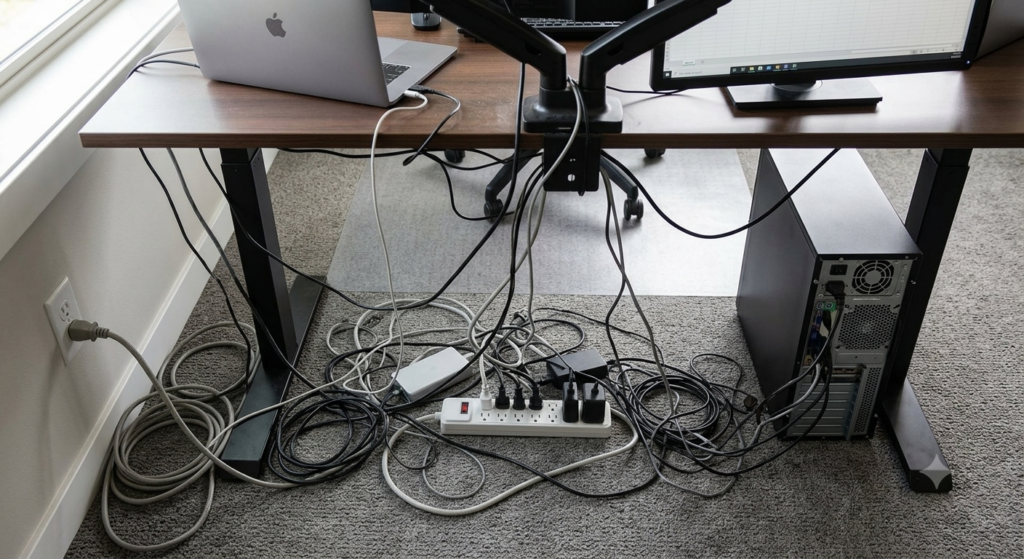
Step 2: The Under-Desk Basket (The Secret Weapon)
Instead of individual clips that peel off over time, you need a single, sturdy mesh tray or basket screwed under the desk to catch the “heavy lifters” (like your main power strip and laptop charger bricks).
I used an under-desk cable management tray. It screws directly into the wood, completely hiding the heavy power strip from view while keeping it easily accessible.
What I used: You can check out this sturdy Under-Desk Cable Management Tray on Amazon. It’s well under $25 and ventilated so your chargers don’t overheat.
Step 3: Route and Group with Velcro Straps
Once the power strip is securely inside the tray, plug everything in.
Next, use Velcro cable straps (not plastic zip ties!) to group the cables running down from your monitor and computer together. Plastic zip ties are permanent and scratch your cables; Velcro is reusable whenever you change your tech setup.
What I used: A simple roll of reusable Velcro Cable Ties on Amazon. It costs around $5-$7 and lasts forever.
Step 4: The Final Stretch (The Sleeve)
If your standing desk still has one main power cord running from the under-desk tray down to the wall outlet, you can hide that single remaining wire using a neoprene cable sleeve or a spine routing tool. This blends the cable perfectly into the desk leg.
The Result: Total Visual Freedom
Look at the difference 5 minutes and a few smart tools can make:
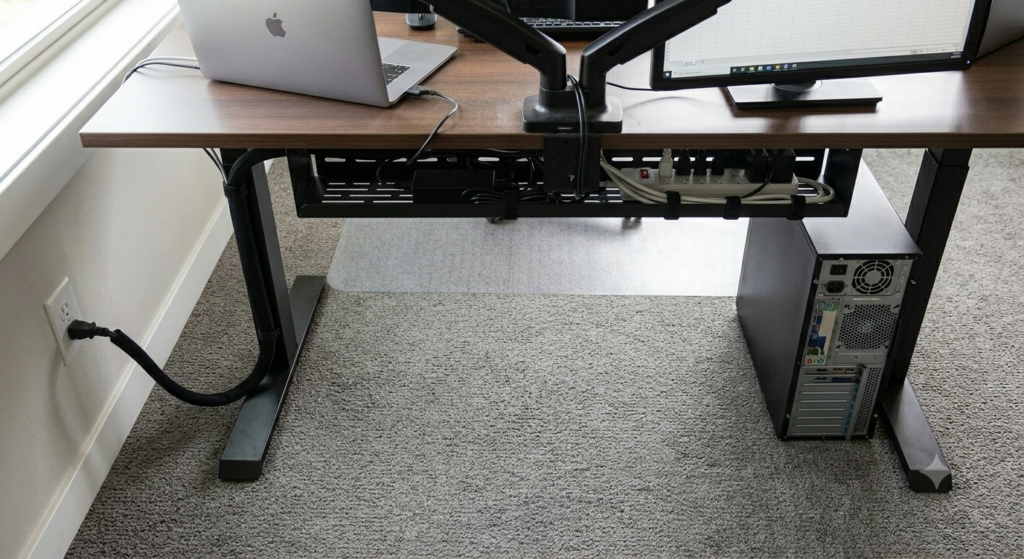
No more kicking wires by mistake. No more visual clutter. Just a clean, productive workspace that actually inspires you to get things done.
If you’re ready to reclaim your workspace peace of mind, you don’t need a $500 professional setup. Start with the tray and the Velcro straps this weekend. Your focus will thank you